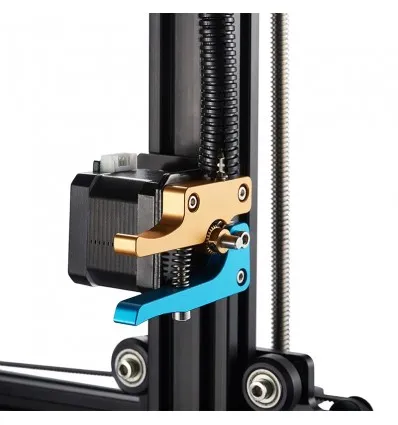
Top 5 Prusa i3 Tarantula Upgrades
The Prusa i3 Tarantula is a popular and affordable 3D printer, offering a great entry point into the world of additive manufacturing. While it provides a solid foundation for 3D printing, several upgrades can significantly enhance its performance, print quality, and overall user experience. This guide explores the top 5 upgrades to take your Prusa i3 Tarantula to the next level. These upgrades range from mechanical improvements to software tweaks, helping you achieve better prints and a more enjoyable printing process. Whether you are a seasoned 3D printing enthusiast or a beginner, these upgrades are designed to be accessible and provide a noticeable difference in your 3D printing results. Improving your 3D printer with upgrades, opens doors to new levels of detail and speed.
Upgrade 1 Enhanced Bed Leveling
Bed leveling is crucial for successful 3D printing, and the Prusa i3 Tarantula, like many budget 3D printers, can benefit from improvements in this area. Precise bed leveling ensures the first layer adheres properly to the print bed, preventing warping and other print failures. Enhanced bed leveling can greatly improve print quality. There are several options to consider when upgrading your bed leveling system, including both manual and auto bed leveling solutions. Achieving the perfect first layer is the key to a successful print, and investing in a reliable bed leveling system is a worthwhile upgrade for any Prusa i3 Tarantula owner.
Bed Leveling Options

Several methods can be used to improve bed leveling. The choice often depends on your budget, technical skills, and printing preferences. Choosing the right method may also depend on what your printer is used for. The upgrades below are two options to consider when upgrading bed leveling.
Manual Bed Leveling
Manual bed leveling involves adjusting the bed height manually using the leveling screws located on the corners of the bed. It is the most basic method. This requires the user to carefully adjust the bed height using the leveling screws until the nozzle is at the correct distance from the bed. It typically involves using a piece of paper to check the nozzle height, adjusting the screws until the paper has slight friction as you move it. While manual bed leveling is the most affordable option, it requires more time and patience to perfect. This can be accomplished by adding adjustment knobs and using tools like a feeler gauge.
Auto Bed Leveling
Auto bed leveling (ABL) uses a sensor to automatically measure the bed surface and adjust the nozzle height during printing. ABL systems greatly simplify the bed leveling process. There are several types of ABL sensors available, including inductive, capacitive, and BLTouch sensors. Installing an ABL sensor requires some technical knowledge, but it offers significant benefits, including improved first-layer adhesion and the ability to print on slightly uneven surfaces. While slightly more expensive than manual leveling, ABL can save time and reduce print failures.
Upgrade 2 Improved Hotend Performance

The hotend is a critical component responsible for melting and extruding filament. Upgrading your hotend can lead to improvements in print speed, temperature control, and the ability to print with a wider range of materials. Upgrading to a higher-quality hotend can lead to better print quality overall and reduce problems. Many aftermarket hotends are designed for ease of use and are designed to be easily installed.
Hotend Replacement
Replacing the stock hotend with a higher-performance model is a significant upgrade. Look for hotends with all-metal construction, improved heat break designs, and better temperature control. These features can help you achieve higher printing temperatures, print more complex filaments (such as nylon and polycarbonate), and reduce the likelihood of clogging. All-metal hotends are particularly advantageous as they can withstand higher temperatures without degradation, which can lead to more successful prints. Installing a new hotend often involves some disassembly of the existing hotend and careful reassembly.
Nozzle Upgrades
Upgrading your nozzle can significantly impact print quality and the types of filaments you can use. Consider replacing the stock nozzle with a hardened steel or a nozzle made from other specialty materials. These can provide increased wear resistance, especially when printing abrasive filaments like carbon fiber or wood-filled filaments. Different nozzle sizes will also let you tune the print speed and the level of detail your 3D printer can provide. Nozzle upgrades are a cost-effective way to optimize your prints and explore new materials.
Upgrade 3 Sturdy Frame Reinforcements

The Prusa i3 Tarantula often features an acrylic frame, which can be prone to flex and vibrations. These issues can negatively impact print quality, especially at higher speeds. Reinforcing the frame is a crucial upgrade. Improving frame stability leads to more accurate prints. Frame upgrades range from simple modifications to more comprehensive solutions, each offering a different level of improvement.
Frame Bracing Kits
Frame bracing kits are designed to add rigidity to the frame, reducing flex and vibrations. These kits typically include brackets, rods, and screws that attach to the existing frame structure. Frame bracing kits can significantly improve the stability of your printer. By adding braces, you’ll create a more stable printing platform that can withstand the movement of the print head and bed without causing print defects. There are many different kits available, and the best one for you will depend on your printer’s specific design and your budget.
Acrylic Frame Issues
Acrylic frames can be susceptible to cracking or warping over time, especially with extended use or exposure to temperature fluctuations. If you have an acrylic frame, consider upgrading to a more durable material. The alternative would be upgrading to a metal frame or a frame made from composite materials can greatly improve the lifespan and performance of your 3D printer. Metal frames provide superior rigidity and stability, which directly translates to higher print quality and increased printing speeds. Upgrading from an acrylic frame is an excellent long-term investment that will enhance your printing experience.
Upgrade 4 Silent Stepper Motors

The noise generated by stepper motors can be a significant annoyance when 3D printing, particularly during long print jobs. Silent stepper motors can dramatically reduce the noise. This upgrade involves replacing the stock stepper motors or upgrading the motor drivers. The main goal is to make the printing process quieter and more pleasant. By making this upgrade, you can greatly reduce the amount of noise produced by your printer, making it far more suitable for use in a home environment or office.
Stepper Motor Options
You can replace the existing stepper motors with new, silent stepper motors. These motors are designed to operate with significantly less noise, often using advanced technologies to reduce vibration and resonance. Choosing silent stepper motors improves the user experience. The quality of the motor is also something to consider, since lower-quality motors may create more noise than higher-quality ones. This is a great option if you want the ultimate silence.
Motor Driver Upgrades
An alternative to replacing the motors is to upgrade the motor drivers on your control board. The motor drivers control the current and voltage supplied to the stepper motors. The driver is designed to improve the smoothness of operation and reduce noise. Upgrading motor drivers, such as to TMC2208 or TMC2209 drivers, can significantly reduce stepper motor noise. These drivers use advanced micro-stepping techniques and other noise-reduction features. This upgrade often involves soldering or replacing the existing drivers on your printer’s control board.
Upgrade 5 Firmware and Software Enhancements

Firmware and software play a critical role in the performance and functionality of your 3D printer. Upgrading these components can unlock advanced features, improve print quality, and make the printing process more user-friendly. There are plenty of upgrades you can make to improve performance. By upgrading these components, you can optimize your print settings, add new functionality, and enjoy a more streamlined printing workflow.
Firmware Updates
Updating your firmware can bring several benefits. Firmware updates often include bug fixes, performance improvements, and new features. Consider upgrading your Prusa i3 Tarantula to Marlin firmware. Marlin is open-source firmware that provides extensive control over printer settings. It includes support for advanced features such as bed leveling, thermal protection, and linear advance. Flashing new firmware is relatively straightforward, typically involving connecting your printer to a computer and using a program like Arduino IDE.
Slicing Software Optimization
The slicing software you use (such as Cura, PrusaSlicer, or Simplify3D) converts your 3D models into instructions for your printer. Optimizing your slicing settings can significantly impact print quality. Experiment with different settings, such as layer height, infill density, print speed, and temperature, to fine-tune your prints. Each filament type and printer setup can require different settings. You can get more control using the printer’s advanced settings. You can also create custom profiles that work well with your Prusa i3 Tarantula. This will help you produce higher-quality prints and achieve the best results.
In conclusion, upgrading your Prusa i3 Tarantula is a worthwhile investment to enhance its capabilities and your overall 3D printing experience. By implementing these top 5 upgrades, you can achieve improved print quality, greater reliability, and a more enjoyable printing process. Remember to carefully research each upgrade and follow the instructions for installation. Happy printing!